Saturday, 12 February 2011

Aircraft build - Wing

Wing
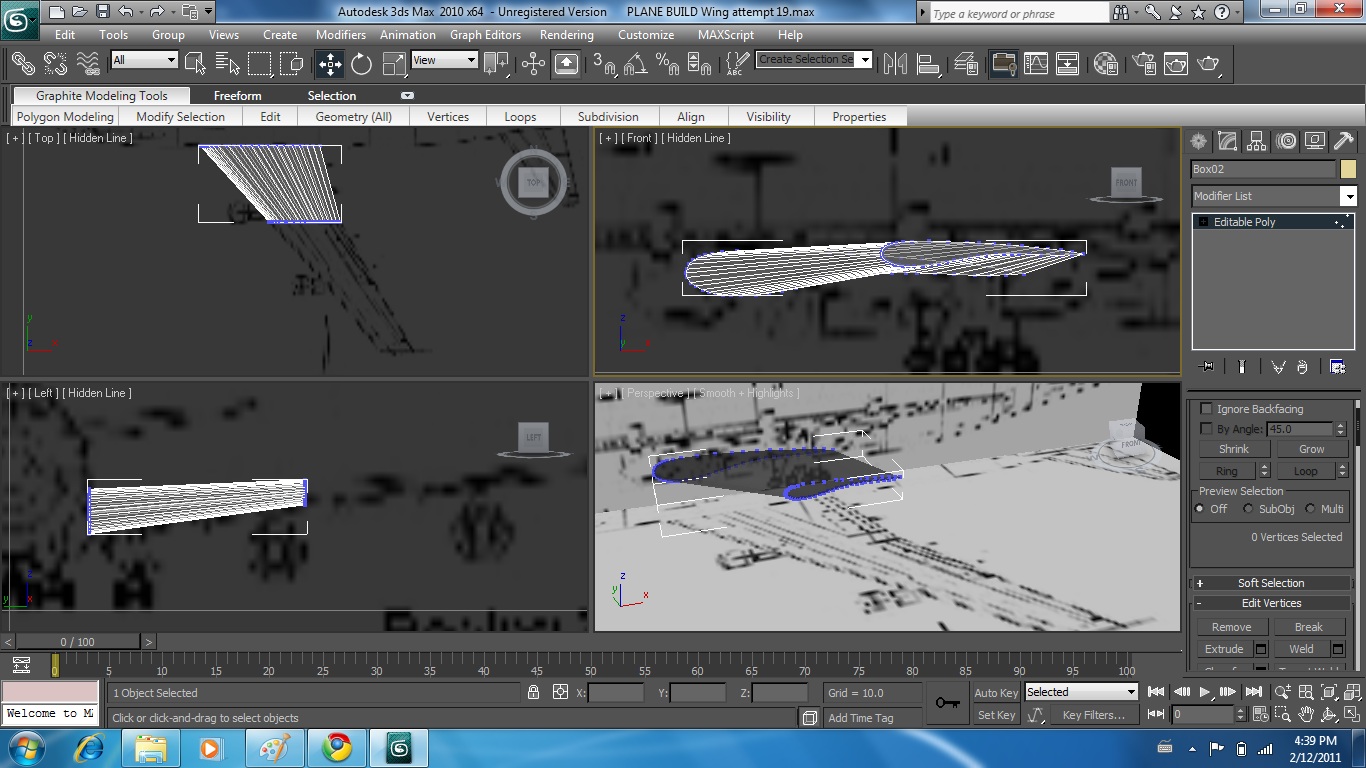
Draw profile using reference planes
turn into edit able poly


Clone poly - move to second position (where wing geometry changes) - bridge


Repeat to end of wing


With this technique however discovered bridge had inverted to end of wing - geometry intersected with self


Upon several attempts unable to rectify - started again

Wing attempt 2

Draw profile - turn into editable poly


Extrude poly and manipulate into shape


Extrude poly and manipulate again


Thursday, 10 February 2011

Aircraft build - Engines

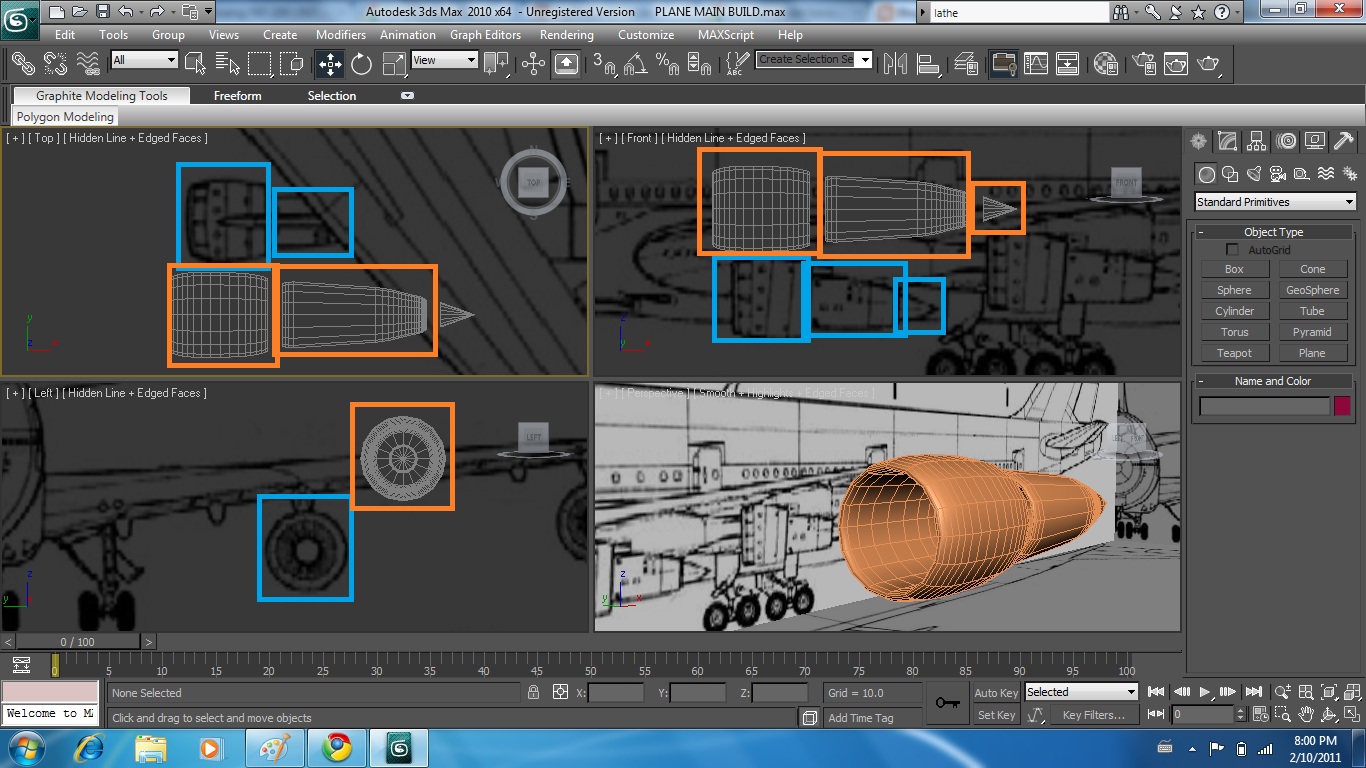
Create tube - align with front part of engine - turn into editable poly - shrink front and back to generate smooth curve


Trace profiles from outer engine / back of engine from reference planes - Turn into editable poly - Use lathe technique as before (360') to create pieces to slide together


Move into position and align with reference planes to check for accuracy
Slide into over lapping positions to create engine base


TURBINE

Create tube - thin with hole in middle - take measurements from reference planes - Lots of sections required


Turn into editable poly - Remove all geometry except single segment - Select boundry on open segments and select cap


Twist outside geometry


Select tools - array - change appropriate boxes to produce 30 blades overlapping over 360'


Add cone to centre to give impression of  turbine blades + turbine


Aircraft build - Vertical stabilizer - basic build

Draw basic cube. Add segments to allow for manipulation (6x6x2)


Convert to editable poly
Highlight and remove all internal details. (using drag select will select all points through object)


right click - object properties - see through - select yes
Manipulate edge vertices to align with with reference planes


Remove uneccessary verticies - apply smooth to soften harsh angles


Aircraft build - Fuselage - basic shape

Draw line representing half of profile (top down)
Enter modifier tab - modifier drop down box - select LATHE.


Once in lathe mode - adjust axis position and if necessary direction of rotation to generate fuselage


Move shape into position to align with all three reference planes
Select vertices and manipulate into fuselage shape using different viewpoints


Apply turbo smooth to enhance shape


Aircraft Build - Research + Planning - Skyfleet S570

Researched into plane model - Fictional plane based on decommissioned 747 - 200B with modifications to body shape for new look in film


SKYFLEET S570
http://www.notarealthing.com/2010/09/skyfleet-and-texron

747 - 200


http://www.aviationnews.eu/aircraft-fact-sheets/civil-aircraft-fact-sheetszap16com/boeing-747-200/

Found 747 - 100 2D scaled perspective drawing to use.
Will use these drawings for basic reference then modify design accordingly


http://www.hobby-bench-buddy.ca/BetterFly2/RC_plan_JETS_3view.html


Reference bitmap (jpeg) size
in 3ds max - standard primatives -  plane - changed size of plane to same as bitmap scaled down (eg 1590 = 159.0 etc)


add other 2 perspectives - align - freeze into position (after deselecting turn frozen objects grey in object properties)


Right click to access object properties

Also may need to access top bar - customize - preferences - configure drivers - tick boxes to allow bitmaps to be displayed in high resolution


if does not work initially - save file, exit and reload.


Wednesday, 9 February 2011

Lecture 3 - Asignments

Making Leaf using plane

Editing picture
Took given image "leafLARGE" - imported to "Sketch book Pro"
Flooded background making sure to bleed over edges
Created second layer to picture - white leaf on black background


Editing material

diffuse - bitmap - use file
Maps - opacity - use same file
maps - bump - use same file - very high figure

Manipulate the plane


render - STILL PROBLEMS WITH OPACITY WILL ASK IN CLASS


Produce shine shine material

Extended primatives - torus knot

Material editor - anisotropic shader - high specular level + high anisotropy level


material editor - maps - reflection - bitmaps - insert pic to be reflected


producing multi sub object material

standard primatives - teapot - editable poly - scroll down to polygon material ids
select element - selesct each part and change material id
material editor - change standard to multi/sub object


Change sub colours - remove unused slots


Make bitmap (JPEG format)


Material editor - diffuse box - bitmap - select file
Create object click and drag over to object to apply


Shaders
- tried all shaders individually to assess outcome.
have not created jpeg for each one as deemed unnecessary

Tuesday, 1 February 2011

Research

Watched many Bond film theatrical trailers to pick favourite.
Chosen film - Casino Royale
Watched film while making notes / boards
3 main chosen scenes

1. Airport                                         - Action , massive objects
2. Construction site                          - Action , 2 characters travel through environment
3. Casino floor / poker game           - Drama , Poker table , scene , atmosphere